Cash Registers NZ: Types, Prices and What a Business Actually Needs
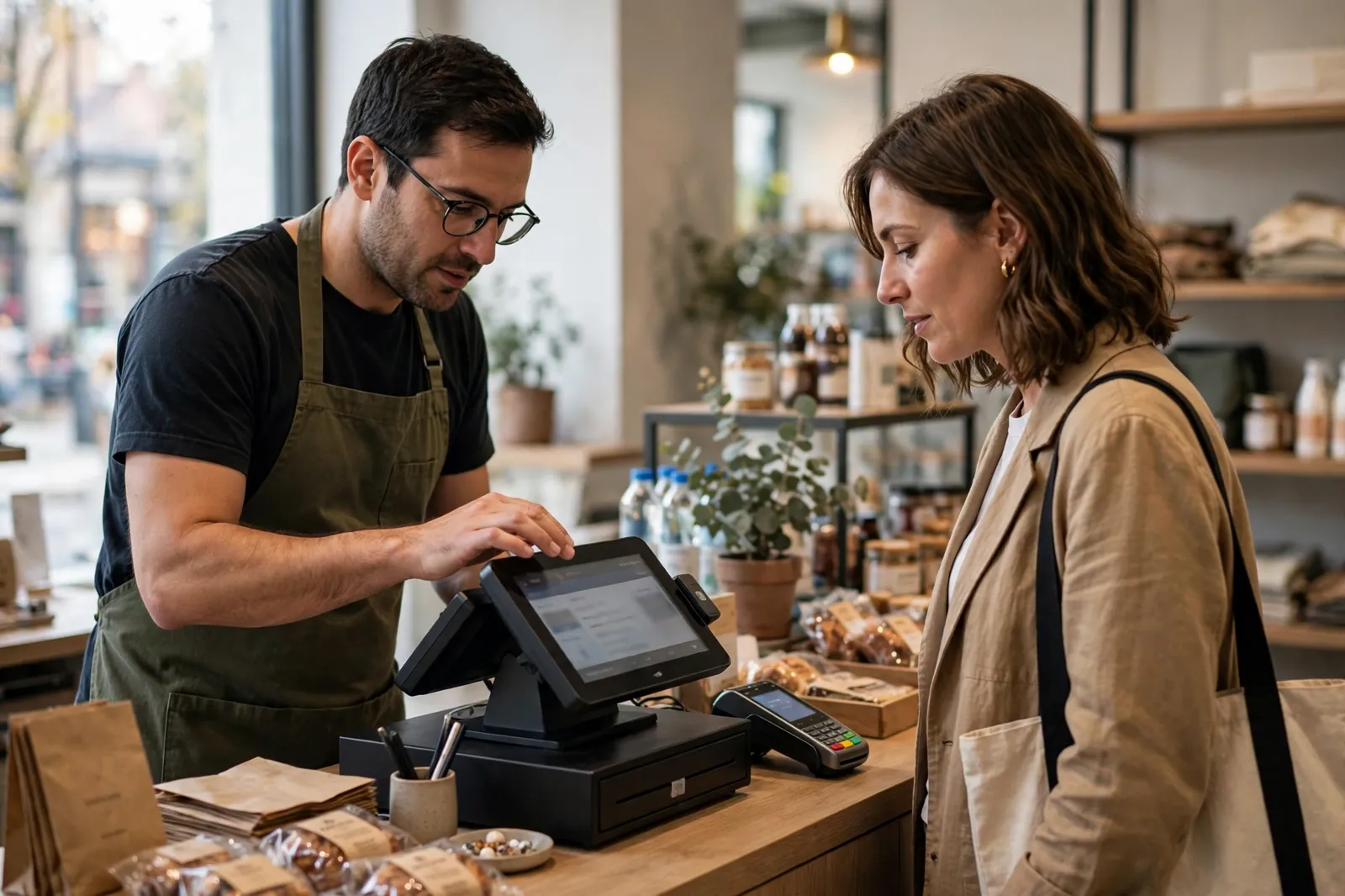
Ask a room of small business owners what a cash register is for and most will say taking money and storing it safely. That is only half the job. In New Zealand, the register on your counter is also a record keeping machine. Inland Revenue expects you to keep records of every sale, cash included, and to hold onto them for years. The right register makes that effortless. The wrong one leaves you reconstructing a week’s trading from memory and a shoebox of faded receipts.
This guide works through the three types of register sold in NZ, what each one suits, the parts that make up a complete setup, and the prices you can expect to pay. Prices quoted are the sellers’ own published prices, checked in October 2026, and most suppliers quote ex GST, so read the fine print before comparing numbers.
The three types of cash register sold in NZ
Electronic cash registers
The traditional electronic cash register, often shortened to ECR, is a single standalone unit: keyboard, operator display, a customer facing display, a built in thermal receipt printer and a locking cash drawer, all in one box. You programme departments (say, food, drinks, merchandise) and price look up codes, known as PLUs, for individual items. At the end of the day you run a totals report and the machine clears its counters ready for tomorrow.
Nothing about an ECR needs the internet. It does not log in, sync or update. For a small shop with a stable product range, that simplicity is the appeal, and the one off purchase price is the whole cost of ownership apart from paper rolls. The limits show up as you grow. Reporting is basic, stock control is manual, and getting sales data into your accounting software usually means typing figures in yourself or exporting from a memory card on higher models.
Tablet and app based point of sale
The second type runs point of sale software on a tablet or phone you may already own. The register becomes an app. You add a cash drawer, a receipt printer and a barcode scanner as separate peripherals, and the software handles the rest: product libraries, discounts, staff logins, sales reports and integrations with accounting packages such as Xero.
Cloud POS, as this category is often called, suits businesses that sell both in store and online, because stock levels can update across channels from the one system. Shopify POS, for example, is built to share a catalogue and inventory with a Shopify online store, and Lightspeed Retail is aimed at retailers who need deeper inventory tools such as purchase orders and multi store stock transfers. The trade off is cost structure. Instead of one purchase, you pay a monthly subscription for as long as you trade, and the system depends on your internet connection, although most apps keep selling in an offline mode and sync when the connection returns.
Touchscreen POS terminals and system registers
The third type sits between the two. Dedicated touchscreen terminals run POS software on hardware built for a busy counter, with spill resistant screens, fast printers and ports for scanners, scales and kitchen printers. Some look like computers, some like beefed up cash registers. The Sam4s SPS range sold in NZ is a good illustration of the overlap: machines with flat touch style keyboards, dual receipt and journal printers, check tracking for up to 200 accounts for table service, and the ability to link up to 16 registers together. These are registers in shape but POS systems in capability, and hospitality and larger retail are where they earn their keep.
Matching the register to the business
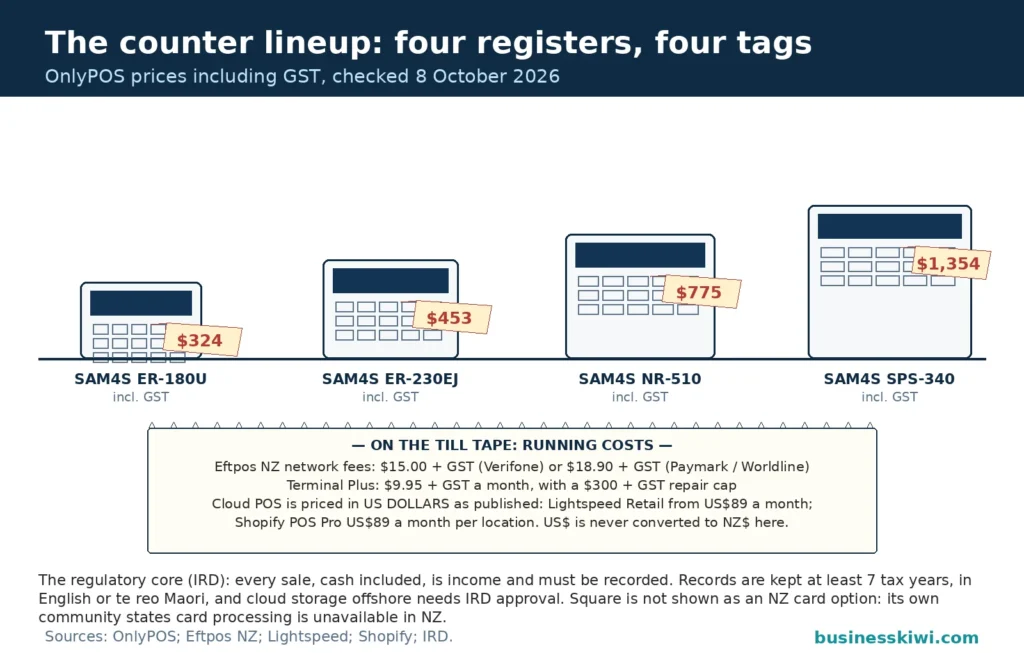
Market stalls and mobile traders need portability and independence from power points. A battery powered portable register, or a phone or tablet running POS software paired with a small drawer, covers a day at the markets. The Sam4s ER-230EJ portable, sold by NZ supplier OnlyPOS at $453 including GST (checked October 2026), runs on a rechargeable battery, weighs 3.25 kg and stores its electronic journal on an SD card, which shows the shape of the category even if you buy a different model.
Small retail and takeaway food is the natural home of the entry level ECR. If you sell a few hundred items, take a mix of cash and card, and close up each night with one person on the till, a basic register with 16 or so departments does everything you need. OnlyPOS lists the Sam4s ER-180U, with 16 programmable department keys, a thermal printer and a small four note, eight coin drawer, at $324 including GST (checked October 2026).
Cafés, bars and restaurants put different pressure on a till. Staff need to send orders to a kitchen printer, hold a table open, split bills and apply modifiers like oat milk or an extra shot. Flat membrane keyboards survive spills, dual station printers produce a receipt and a kitchen or journal copy at once, and check tracking holds open accounts. That pushes hospitality toward mid range system registers or hospitality POS software rather than a basic ECR.
Larger and multi site retail is where cloud POS pays for itself. Once you hold thousands of product lines, run promotions, sell online and reorder from suppliers, inventory management matters more than the till itself. Real time stock, purchase orders, customer loyalty tools and reporting across locations are software features, not register features, and they are the reason bigger retailers accept a monthly subscription.
The parts that make up a setup
A register is rarely one purchase. Budget for the whole counter.
Cash drawer. The drawer should match your cash handling. Small drawers typically offer four note and eight coin sections, as on the ER-180U. Busier sites want a larger drawer with media slots for sliding cheques, vouchers and large notes underneath without opening the tray. On POS setups the drawer is a separate unit that the printer or software triggers to open.
Receipt printer. Nearly everything sold now uses direct thermal printing, so there is no ink, just heat sensitive paper. Print widths are usually 57 mm or 80 mm. Hospitality should look for an auto cutter and a second printer for the kitchen or bar. Two station models, such as the Sam4s SPS-340 at $1,354 including GST from OnlyPOS (checked October 2026), print a receipt and a journal copy simultaneously at up to 22 lines per second.
Barcode scanner. Retailers with packaged goods need one. Registers connect scanners through USB or older RS232 serial ports, and higher end models handle 14 digit barcode numbers and tens of thousands of PLUs: the SPS-340 holds up to 20,000. With tablet POS, Bluetooth scanners are the norm, and some software can scan using the tablet camera at low volumes.
Scales and remote printers. Delis, butchers, produce stores and cafés selling by weight need a scale that talks to the register, so the weighed price lands in the sale without rekeying. Hospitality needs the opposite direction covered: order printers in the kitchen or at the bar. Both plug into the serial and USB ports on system registers, which is why the port list on a spec sheet matters. The SPS-340’s connections, for instance, are specified for a scanner, scales, a PC and a kitchen or bar printer.
Displays. A customer facing display, sometimes a simple numeric pole display and sometimes a full second screen, shows the running total and builds trust at the counter. Most registers include a rear display; check it is readable in bright light if your counter faces a window.
EFTPOS terminal. This is the part new businesses most often misunderstand. The cash register does not process card payments. EFTPOS terminals are supplied separately, usually leased from a payments provider such as Eftpos NZ, and connected to one of NZ’s payment networks. A terminal can stand alone, with staff keying the total in twice, or integrate with the POS so the amount flows straight from the sale to the terminal, which cuts keying errors and speeds up the queue. By default a terminal accepts NZ issued EFTPOS and debit cards; accepting credit and contactless cards such as Visa and Mastercard requires a merchant facility arranged through your bank, according to Eftpos NZ. Countertop terminals such as Eftpos NZ’s Verifone V400c also print their own receipts from a small 40 mm roll and offer an offline mode, so a temporary internet outage does not have to stop card sales altogether, although the transactions are processed once the connection returns.
One decision to make early is whether the terminal and register work as one system or two. With an integrated setup, the POS sends the amount to the terminal and pulls the result back into the sale record, so the day’s register totals and card totals are born reconciled. With a standalone terminal, the operator keys the amount in by hand. It works, and plenty of small businesses run that way for years, but every keyed amount is a chance for a transposed digit, and the mismatch only surfaces when you cash up.
What Inland Revenue needs your register to produce
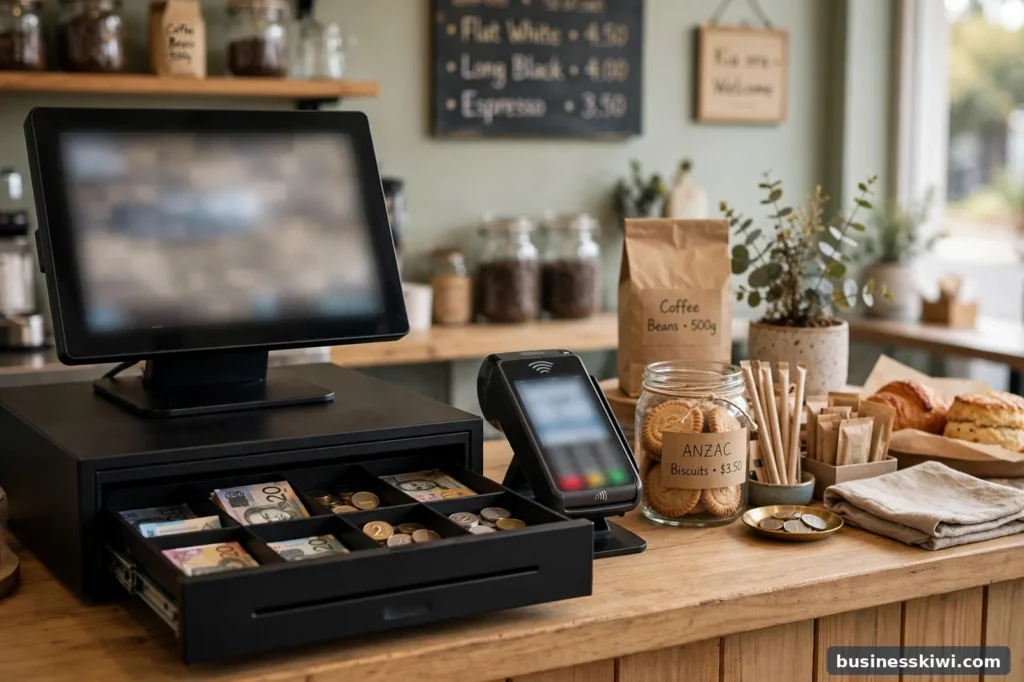
Here is the part of the buying decision that has nothing to do with features and everything to do with tax. Inland Revenue’s record keeping guidance is plain: keep records of cash and non cash sales and expenses, keep everything throughout the year, and keep all records, including electronic ones, for at least seven tax years. Records must be in English or te reo Māori unless Inland Revenue approves another language, and if you store records offshore, which includes cloud computing, either you or your provider needs Inland Revenue approval. If Inland Revenue audits you, these are the records it will check.
Translated to the counter, that means your register setup has to do four things reliably.
First, it has to record every sale, including the cash ones. A register that only documents card transactions leaves a hole in your income records, because card totals live with your bank and cash totals live in the till. Daily totals reports are the bridge between the two.
Second, it has to produce and keep daily totals. On an ECR this is the end of day Z report, the reading that totals the day and resets the counters (an X report, by contrast, shows totals partway through the day without resetting). On POS software it is the end of day summary or register closure report. Mid range registers such as the Sam4s NR-510, listed by OnlyPOS at $775 including GST (checked October 2026), keep an electronic journal and can back up data and daily reports to an SD card, which is exactly the sort of retrievable record Inland Revenue wants to see.
Third, electronic records must stay retrievable and readable. Inland Revenue’s guidance on computer record keeping says computer based records must confirm your tax liability, be kept for at least seven years (the same rule as paper), and be retrievable and readable at all times, with good backup procedures. It also warns that when you replace a system, you need to check the new system can still read data from the old one. Switching POS providers without exporting your sales history first is how businesses lose years of records.
Fourth, if you are GST registered, your register receipts feed your taxable supply information. Since 1 April 2023, GST law has required businesses to provide and keep taxable supply information rather than formal tax invoices, and Inland Revenue notes that practices compliant with the old tax invoice rules still comply. Your receipts and sales records are part of the minimum records supporting the figures in your GST returns, so a register that prints clear, complete receipts with your business details is doing compliance work for you.
None of this requires expensive gear. It requires a register whose reports you actually save, in a form you can still open in seven years.
In practice, the routine that keeps businesses out of trouble is dull and daily. Count the float before trading. Run an X reading at any shift change so two operators are never sharing one set of totals. At close, take the Z reading, count the cash, and compare the cash total, the card settlement and the register’s figures while the day is still fresh in your mind. Variances found the same night have explanations. Variances found by your accountant in March do not. Cloud POS does this matching for you in a dashboard, but the habit of checking it is the same.
What it costs: purchase prices
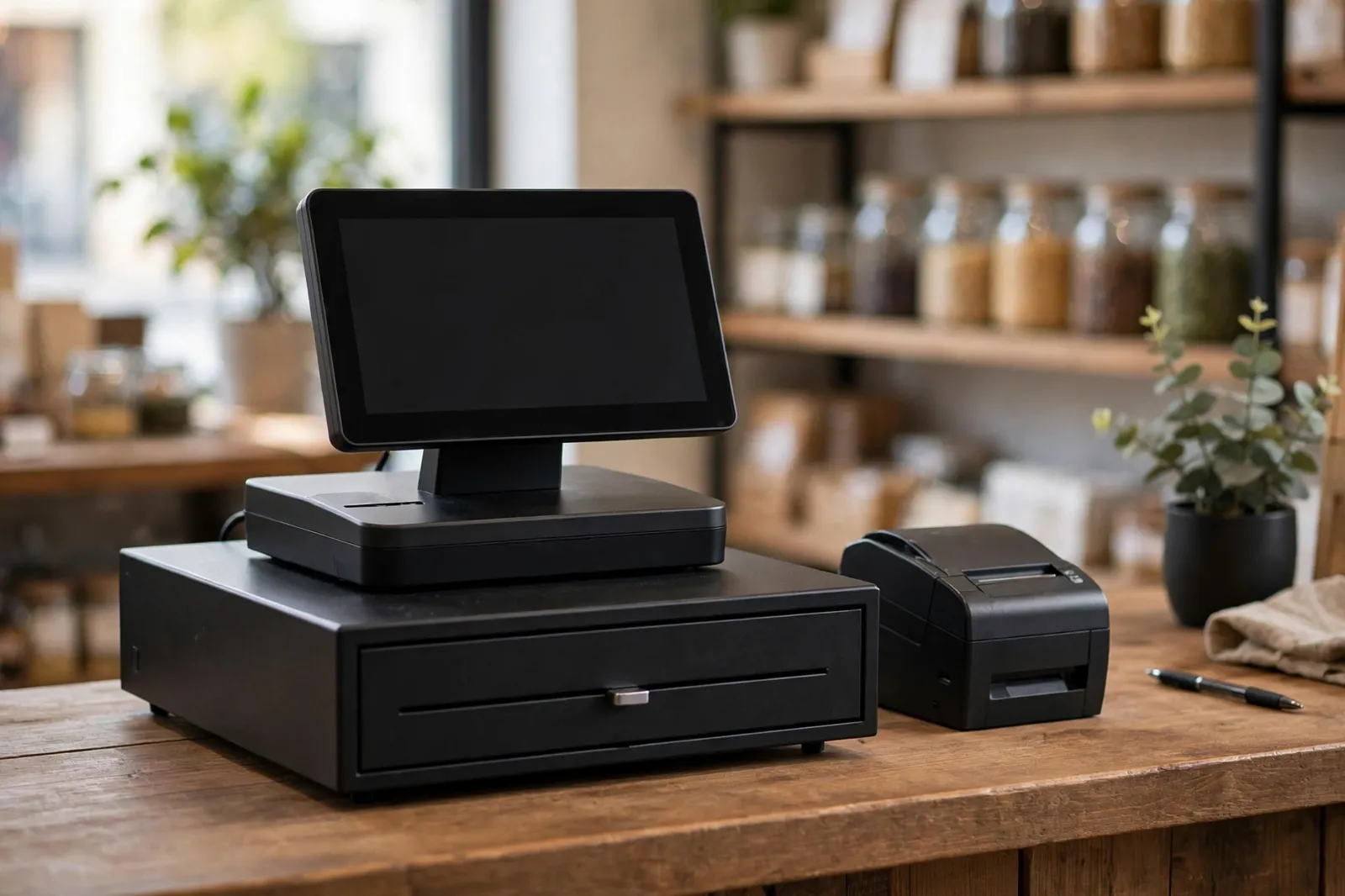
Example prices from one NZ supplier’s own store, OnlyPOS, checked October 2026 and including GST, show the spread across the ECR range:
Tablet POS flips the maths. The software is a subscription: Lightspeed’s own site says Lightspeed Retail starts at US$89 a month including point of sale, inventory, reporting, payments and ecommerce, and Shopify publishes its POS Pro add on at US$89 a month per location on top of a Shopify plan (both checked October 2026). US dollar pricing is normal for software from offshore providers, so convert before you compare it with a one off register price. Hardware for a tablet setup (stand, drawer, printer, scanner) is bought separately, or bundled by local suppliers.
The running costs people forget
Software subscriptions. Budget them as a fixed monthly cost for the life of the business, and check what happens to your data if you cancel.
EFTPOS costs. On top of the terminal lease, Eftpos NZ charges a monthly network fee of $15 plus GST per terminal on its Verifone network, or $18.90 plus GST per terminal on the Paymark (Worldline) network (checked October 2026). Credit and contactless acceptance adds merchant service fees charged by your bank per transaction. Optional extras exist too: Eftpos NZ’s Terminal Plus cover is $9.95 plus GST a month per terminal and caps repair or replacement fees at $300 plus GST, which matters because a damaged leased terminal can otherwise leave you liable for over $1,000.
Receipt rolls and consumables. Thermal paper is a small but endless cost. Busy sites go through 57 mm or 80 mm rolls quickly, so price them by the box from office and POS suppliers, and note that thermal prints fade over years, another reason to keep electronic copies of daily totals rather than a box of paper.
Merchant fees on card sales. Where a POS provider also processes your card payments, the per transaction percentage is usually a bigger number over a year than the subscription. Compare it against your likely card turnover, not just the headline monthly fee.
Training and setup time. Programming hundreds of products into any system takes hours. Some suppliers offer pre programming; if not, that time is a real cost of the cheaper option.
Buying notes before you commit
Check whether prices include GST. NZ business suppliers often headline the ex GST figure. OnlyPOS, for example, lists the ER-180U at $282 ex GST and $324 including GST. Compare like with like.
Do not rely on consumer guarantees. Goods bought for business use sit largely outside the consumer protection framework that household buyers rely on, so your protection is the warranty and the contract terms. Read the warranty length (the Sam4s models above carry one year), the returns policy and what support is included before you buy, not after something fails on a Saturday morning.
Match the paper width and ports to your peripherals. A scanner, scale or kitchen printer that cannot connect to your register is shelf decoration. Check USB, serial and Ethernet options against everything you plan to plug in.
Think about the exit. Ask how you export your product list and sales history. If the answer is that you cannot, price that risk in.
Frequently asked questions
Do I legally need a cash register for my business?
No law says you must own a register. What the law does require, through Inland Revenue, is records of all your income and expenses, cash sales included, kept for at least seven tax years. A register or POS system is simply the most reliable way to produce those records at a busy counter.
What is the difference between an X report and a Z report?
An X report shows the day’s totals so far without changing anything, useful for a midday check or a change of operator. A Z report prints the totals and resets the counters to zero, which is why the Z report is the end of day reading you file with your records.
How long do I need to keep till rolls and sales reports?
At least seven tax years, in paper or electronic form. Inland Revenue gives electronic records the same seven year rule as paper, provided they stay retrievable and readable. Because thermal paper fades, keep the electronic journal, exported reports or scans rather than relying on the rolls alone.
Does a cash register take card payments by itself?
No. Card payments run through a separate EFTPOS terminal supplied by a payments provider and connected to a payment network, and credit or contactless acceptance is set up through your bank. Some terminals integrate with the register or POS so the sale amount transfers automatically, but they remain separate services with separate fees.
How much does a basic cash register cost in NZ?
Entry level electronic registers from NZ suppliers start in the low hundreds of dollars. One national POS supplier, OnlyPOS, lists a basic 16 department model at $324 including GST and a portable battery model at $453 including GST (both checked October 2026). Prices rise with printer speed, PLU capacity and networking, up to around $1,354 including GST for a two station system register from the same supplier.
Can I use a tablet I already own as a register?
Usually, yes. Tablet POS apps run on standard iPads and Android tablets, and you add a cash drawer, receipt printer and scanner as needed. Check the app’s hardware compatibility list first, and remember the software is a monthly subscription even when the tablet is free.
What happens to my sales records if I change POS systems?
They are your records and your responsibility. Inland Revenue expects computer based records to remain retrievable and readable for at least seven years, including across system changes, so export your sales history and reports in a standard format before you switch, and keep backups somewhere you control.
This article is general information only, based on prices and guidance published by Inland Revenue, Eftpos NZ and the suppliers named, checked in October 2026. Prices, plans and fees change, and tax obligations depend on your circumstances. Check current pricing with suppliers and talk to your accountant or Inland Revenue if you are unsure about your record keeping obligations.
Sources
- Inland Revenue, Record keeping, ird.govt.nz
- Inland Revenue, Computer record keeping for audit, ird.govt.nz
- Inland Revenue, Taxable supply information for GST, ird.govt.nz
- OnlyPOS, Sam4s ER-180U Basic Cash Register, onlypos.co.nz
- OnlyPOS, SAM4S ER-230EJ Portable Cash Register with Battery, onlypos.co.nz
- OnlyPOS, SAM4S NR-510 Single Station Thermal ECR, onlypos.co.nz
- OnlyPOS, SAM4S SPS-340 2-station System Cash Register, onlypos.co.nz
- Eftpos NZ, V400c Countertop EFTPOS Machine, eftpos.co.nz
- Eftpos NZ, Terminal Plus, eftpos.co.nz
- Lightspeed, Garden center POS system (Lightspeed Retail pricing FAQ), lightspeedhq.com
- Shopify, How Much Does a POS System Cost?, shopify.com