How to Email Immigration New Zealand 2026: Step-by-Step Guide + 3 Free Templates
Immigration New Zealand does not have a public email address. If you have been searching for an INZ email address to write to directly, you will not find one, INZ uses an official online contact form system for all written enquiries. This guide explains exactly how that system works in 2026, what to write, how to format your message to get the fastest possible response, and includes three ready-to-use templates you can copy for different situations.
If your matter is urgent, for example your visa expires soon or you have a border issue, do not use the written enquiry system. Call INZ directly on 0508 558 855 (within NZ) or +64 9 914 4100 (from overseas), open Monday to Friday 6:00am to 10:00pm NZT. For a full list of all INZ contact methods see our complete Immigration New Zealand contact guide.
Public email address: None — use the official online form
Online contact form: immigration.govt.nz/contact-us
Response time: 10–15 working days for general enquiries
Urgent matters: Call 0508 558 855 — the written form is not monitored for urgent cases
Attachments: PDF format preferred — always label files with your full name
One enquiry at a time: Submit one question per form — multiple questions cause delays
Why INZ Uses Online Forms Instead of Email
INZ receives tens of thousands of enquiries every month from people across the world. The online contact form system ensures your enquiry is automatically routed to the correct department, work visas, residence, student visas, visitor visas, rather than sitting in a general inbox waiting to be manually forwarded. This means a correctly submitted form enquiry reaches the right officer faster than an email would.
The system also creates a trackable record with a confirmation reference number, which you will need if you follow up. Always save this number.
Step-by-Step: How to Submit a Written Enquiry to INZ in 2026
Follow these steps exactly. Skipping any step is the most common reason enquiries are delayed or go to the wrong department.
Step 1 — Go to the official INZ contact page Open immigration.govt.nz/contact-us in your browser. Do not use any other website or third-party form. Only the official INZ website is monitored by INZ staff.
Step 2 — Select the correct category Choose the category that best matches your situation. Common categories include:
- Work visa enquiry
- Residence application
- Student visa
- Visitor visa
- Document submission
- Application status update
Selecting the wrong category is one of the most common reasons enquiries are delayed, your message gets routed to the wrong team and has to be transferred manually.
Step 3 — Fill in all required personal details Always include all of the following, missing even one can mean INZ cannot find your record:
- Your full legal name exactly as it appears on your passport
- Your date of birth in DD/MM/YYYY format
- Your passport number and country of issue
- Your INZ client number (found on any previous INZ letter, email, or your Immigration Online account)
- Your application reference number if you have one
- Your current visa type and expiry date if relevant to your question
Step 4 — Write your message Keep your message to one specific question or request. If you have two separate questions, submit two separate forms. Multiple questions in one submission frequently result in only one being answered.
Write in plain, clear English. Be specific rather than general. Compare these two examples:
Weak: “I want to know what is happening with my visa application.” Strong: “My AEWV application reference [number] was submitted on [date]. I have not received a request for further documents or a decision. Could you confirm whether all required documents were received and provide a current status update?”
The specific version gives the officer exactly what they need to answer immediately without coming back to you with follow-up questions.
Step 5 — Attach documents if needed If you are submitting additional documents, attach them in PDF format. Name each file clearly, for example “JohnSmith_PoliceCertificate_India.pdf” rather than “scan001.pdf”. Clearly labelled files are processed faster.
Check the file size limits shown on the form. If your document exceeds the limit, compress it using a free PDF compression tool before uploading.
Step 6 — Review everything before submitting Check that your name matches your passport exactly, all reference numbers are correct, your question is clearly stated, and all attachments are the right files. Errors at this stage mean your enquiry goes to the wrong person or cannot be matched to your record.
Step 7 — Submit and save your confirmation reference After submitting you will receive a confirmation reference number. Save this immediately, you will need it if you follow up and it proves your enquiry was submitted on a specific date.
3 Ready-to-Use Templates — Copy and Paste
Use these templates when writing your message in the online contact form. Replace everything in square brackets with your own details.
Template 1 — General Visa Application Enquiry
Template 2 — Following Up on an Existing Enquiry
Template 3 — Submitting Additional Documents
Tips to Get a Faster Response From INZ
These tips are based on how the INZ enquiry system processes submissions:
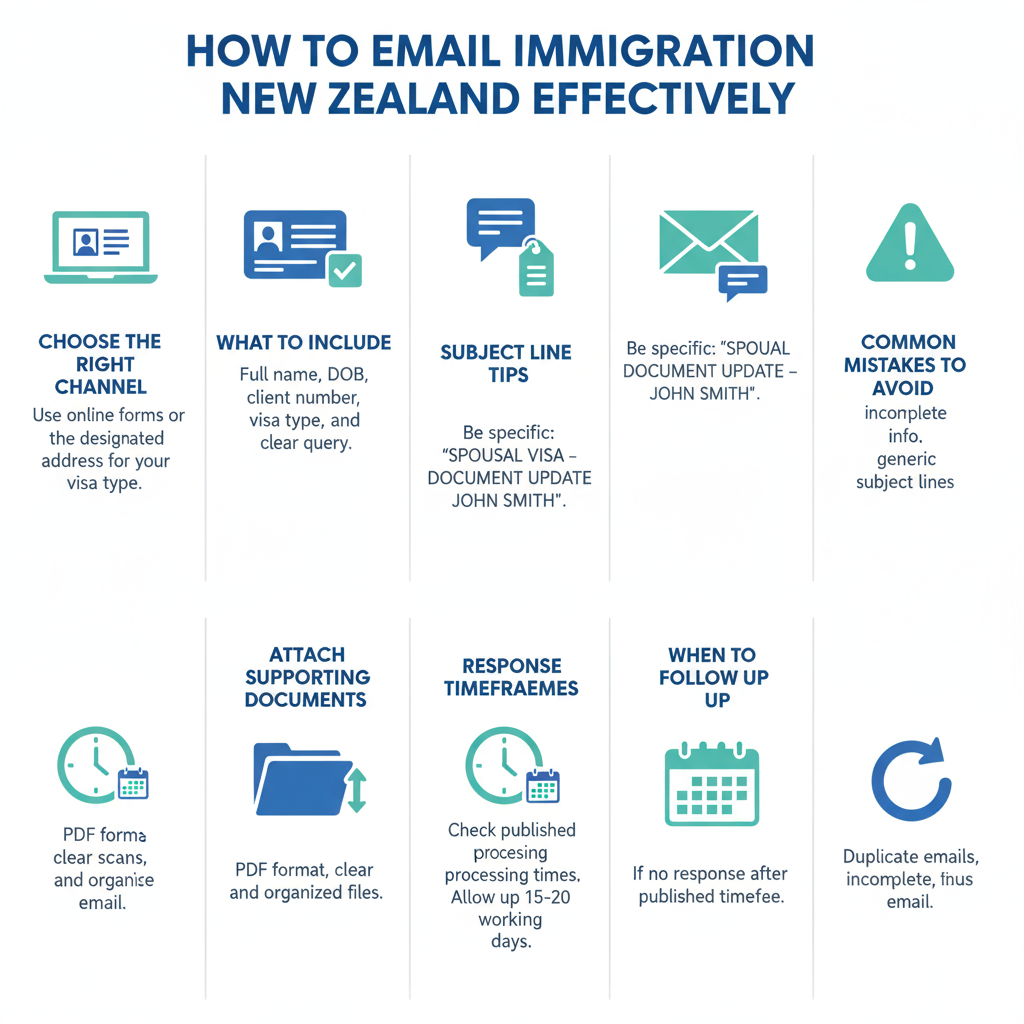
Submit one question per form. Multiple questions in one submission are frequently only partially answered because different questions go to different departments. Submit separately for each issue.
Include every reference number. Your INZ client number is the most important piece of information. Without it, an officer has to search for your record manually which adds days to the response time.
Use PDF for all attachments. INZ processes PDF files faster than image files. If your documents are photos or scans, convert them to PDF before uploading. Name each file with your full name and what it contains.
Submit mid-week. Tuesday to Thursday submissions tend to be processed slightly faster than Monday or Friday when enquiry volumes are highest.
Wait the full 15 working days before following up. Submitting a second enquiry before 15 working days have passed creates a duplicate record and can actually slow your response down. If 15 working days have passed with no response, use Template 2 above.
Do not use the form for urgent matters. If your visa expires within 14 days, you are already in New Zealand without a valid visa, or you have a border-related issue, call INZ immediately on 0508 558 855. The online form is not monitored for urgent situations.
Be specific, not general. Officers can answer specific questions immediately. Vague questions often result in a generic response asking you to provide more information, which starts the 15-working-day clock again.
Common Mistakes That Delay INZ Written Enquiries
Wrong category selected. If you select the wrong visa type or enquiry category your message is routed to the wrong team and has to be manually transferred, adding days or weeks to the response time.
Missing INZ client number. This is the single most common cause of delayed responses. The officer cannot find your record without it. Your client number is on every letter and email you have received from INZ. It is also visible when you log into Immigration Online.
Non-PDF attachments. JPG, PNG, and Word document attachments take significantly longer to process than PDF files. Some formats may not be accepted at all.
Submitting the same enquiry multiple times. If you do not receive a response and submit the same question again before 15 working days have passed, each submission creates a separate case. Officers then spend time merging duplicate cases rather than answering your question.
Asking for urgent responses through the form. Writing URGENT in your subject line or message does not escalate the response time for online form enquiries. For urgent matters you must call 0508 558 855.
Frequently Asked Questions
Q: What is the email address for Immigration New Zealand?
Immigration New Zealand does not have a public email address. All written enquiries must be submitted through the official online contact form at immigration.govt.nz/contact-us. This system routes your enquiry directly to the correct department.
Q: How long does INZ take to reply to written enquiries in 2026?
Standard response time is 10 to 15 working days. During busy periods, particularly before Christmas and following major policy changes, response times may be longer. For urgent matters call 0508 558 855.
Q: Can I email INZ directly about my visa application?
No. There is no direct email address for visa enquiries. You must use the official online contact form at immigration.govt.nz/contact-us. Select the visa category that matches your situation so your enquiry is routed to the correct team.
Q: What should I always include in my written enquiry to INZ?
Always include your full legal name as it appears on your passport, your date of birth, your passport number, your INZ client number, and your application reference number if you have one. Missing your INZ client number is the most common cause of delayed responses.
Q: What happens if INZ does not respond within 15 working days?
Wait the full 15 working days then submit one follow-up using Template 2 above. Include your original confirmation reference number. If there is still no response after a further 15 working days, call INZ on 0508 558 855 to follow up by phone.
Q: Is it better to call INZ or use the online contact form?
For urgent matters, always call 0508 558 855. For non-urgent questions, document submissions, or situations where you need a written record of INZ’s response, use the online contact form. The form is not suitable for anything requiring a response within 10 working days.
Q: Can I submit documents to INZ through the online contact form?
Yes. When submitting additional documents, select the appropriate category on the form, fill in all your personal details, list the documents you are attaching, and upload them in PDF format. Use Template 3 above as your message. Always save the confirmation reference number you receive after submitting.
Q: What if I submitted an enquiry but forgot my confirmation reference number?
Check your email inbox for an automated confirmation from INZ, this is sent to the email address you provided on the form. If you cannot find it, submit a new enquiry using Template 1, explain that you submitted a previous enquiry on approximately a certain date, and provide your INZ client number so the officer can locate both submissions.